

AVAILABLE NOW


Photo Studio Professional 2027
Powerful Editing Meets Effortless Management

Discover new and improved features in ACDSee Photo Studio Professional 2027 that redefine what’s possible.
ACDSee Photo Studio Professional 2027 pairs serious editing power with industry-leading organization to match. Generative AI Tools let you dream up entirely new imagery and reimagine existing shots, while non-destructive RAW editing gives you full control over color, light, and detail without ever touching your original. New Auto-Stack and Stacking tools bring order to collections of any size, grouping photos by GPS location, capture time, or visual likeness — and the new AI Image Similarity engine takes it further, powering AI Reverse Image Search to find any shot by sight alone. Whatever you shoot, however you edit, ACDSee keeps your archive sharp, searchable, and full of possibility.


GENERATIVE AI
The limit does not exist
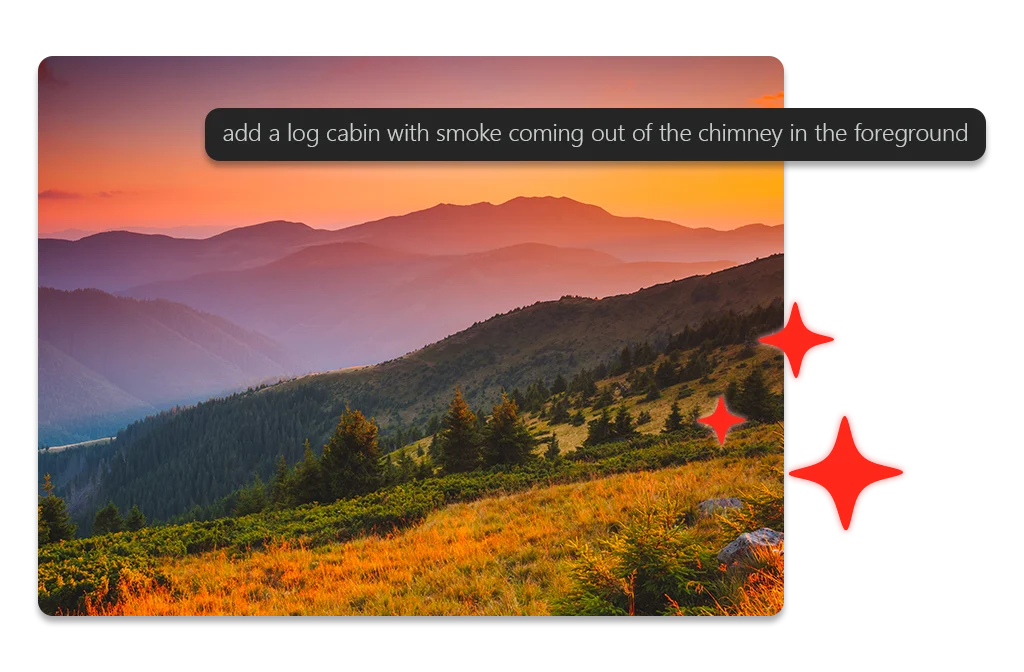
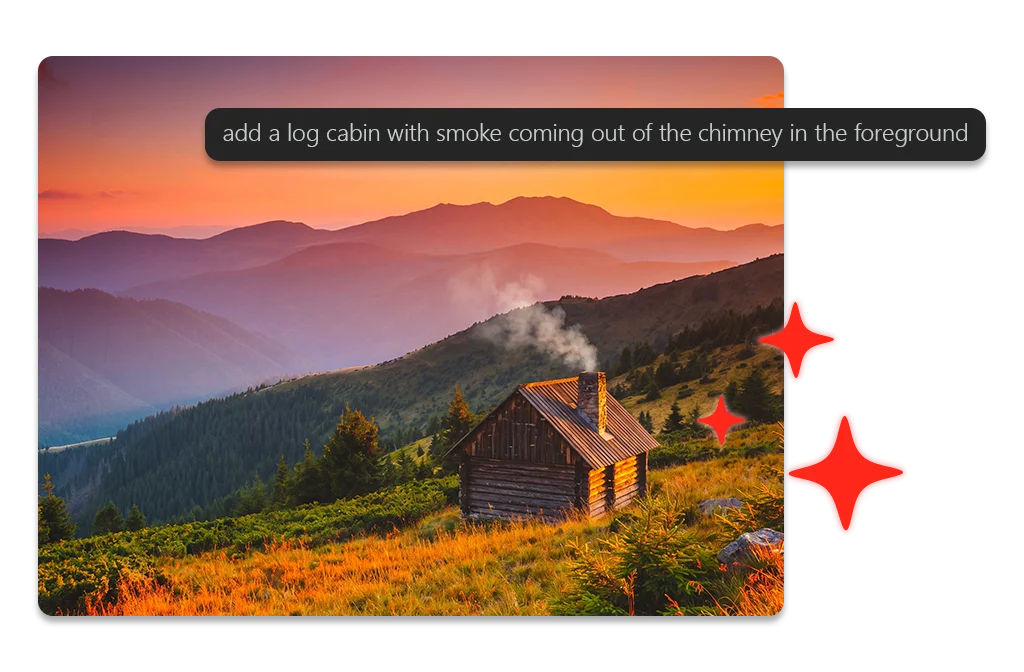
Generative AI tools in ACDSee Photo Studio 2027 create more space for your imagination.





STACKING
Order from chaos
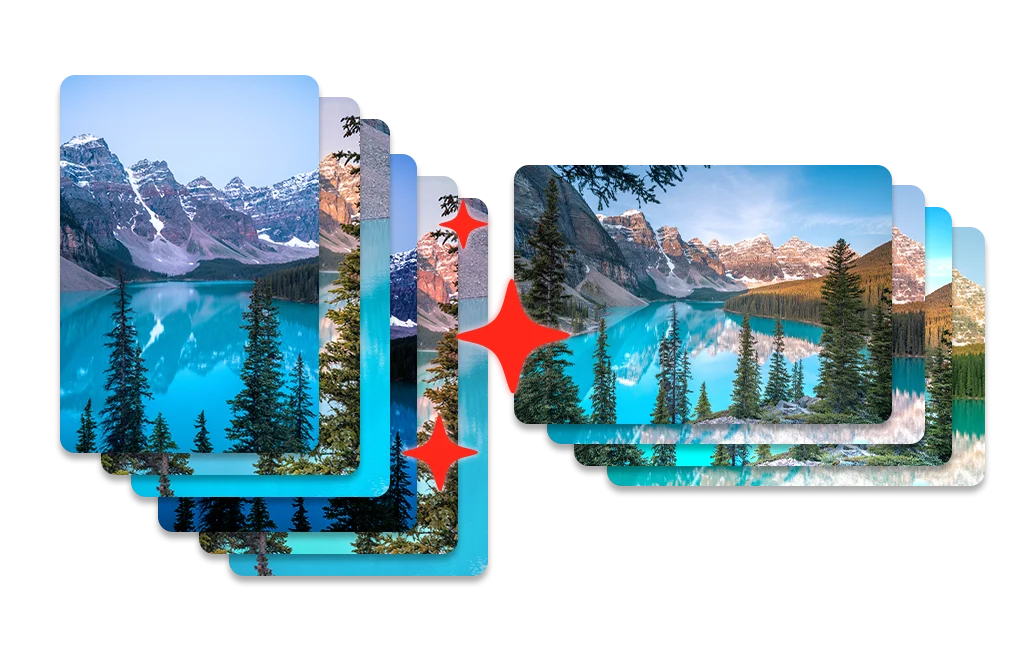
Keep your catalog organized by stacking bursts, brackets, and near-duplicates, or group shots automatically by location and capture time. Collapse a group of related images into a single stack, with your best shot on top and every variant one click away. Nothing is deleted, and nothing is merged.
AI REVERSE IMAGE SEARCH
Find It by Sight
Some photos are easier to recognize than to describe. As you browse your folders, AI Image Similarity quietly compares your photos by how they look — no tagging, no keywords, no setup. Then select any image and let AI Reverse Image Search find every visually related shot. It’s the fastest way to track down every frame from a series, every photo of a place, or every shot that just looks right.
Group By AI Image Similarity
See Your Collection Differently
The enhanced Group By tool now includes Group By AI Image Similarity, clustering visually related photos so patterns, near-duplicates, and hidden favorites rise to the surface. Use it on a single folder, a handful of folders, or the results of a search — combine it with an AI Keyword search to narrow a broad set down to exactly the images you want. It’s a new lens on a collection you thought you already knew.
REJECT TAG
Cut the Clutter
Not every frame makes the cut, so stop letting the missed ones slow you down. Mark blinks, blurs, and duds with the new Reject Tag as you review, then pull up your rejects and clear them out in a single pass. Take every shot with confidence knowing ACDSee will keep you sorted.
Digital Asset Management
- ACDSee Photo Studio Professional 2027 adds Auto-Stack, Custom Stacking, AI Reverse Image Search, Group By AI Image Similarity, and the new Reject Tag to an already best-in-class Digital Asset Management (DAM) toolkit so nothing gets lost, duplicated, or overlooked, no matter how large your library grows.
- Search, sort, and organize your growing photo library without the manual grind.
- The Activity Manager runs laborious jobs in the background — indexing your library for AI Image Similarity, scanning images for key elements with AI Keywords, and more — so you can keep working while it works.
- Let AI Face Detection & Facial Recognition find and name faces for you, building on the names you’ve confirmed to suggest matches you can accept or reject in batches.
- Ratings, keywords, categories, and color labels turn a folder of files into a library you can actually search.



Non-Destructive Photo Editing
- Fast, intuitive, non-destructive RAW photo editing at your command.
- Select exactly the parts of your image you want to change, then apply powerful adjustments without ever touching the original file.
- Fix color, balance lighting, and restore image quality using tools like Color and Tone Wheels, Light EQ™, and the Clone tool.
- AI Develop Presets let you land on finished, polished looks in seconds, whether you’re editing one image or an entire photo shoot.
Non-Destructive Photo Editing
- Fast, intuitive, non-destructive RAW photo editing at your command.
- Select exactly the parts of your image you want to change, then apply powerful adjustments without ever touching the original file.
- Fix color, balance lighting, and restore image quality using tools like Color and Tone Wheels, Light EQ™, and the Clone tool.
- AI Develop Presets let you land on finished, polished looks in seconds, whether you’re editing one image or an entire photo shoot.


Photo Studio Professional 2027
Why upgrade to Professional 2027?
System Requirements
To activate your software, to validate your subscriptions, or to access online services, you will need a valid email address and an internet connection.
Build
Product Documentation
Use the links below or press F1 while performing any function in ACDSee to open the relevant online help page.
Helpful Links
ACDSee AI Credit Packs
ACDSee Video Tutorials
ACDSee Connect
ACDSee Support Center
ACDSee Product Forum
Migrate from Photoshop™ & Lightroom™
RAW File Support
Supported File Formats
ACDSee Plug-ins
ACDSee Product Comparison
ACDSee Competitor Comparison
ACDSee SDK
Contact Customer Support
30-Day Money Back Guarantee
Our 30-Day Guarantee means if you aren’t fully satisfied, just let us know, and you will be fully refunded on any purchased ACD Systems product.